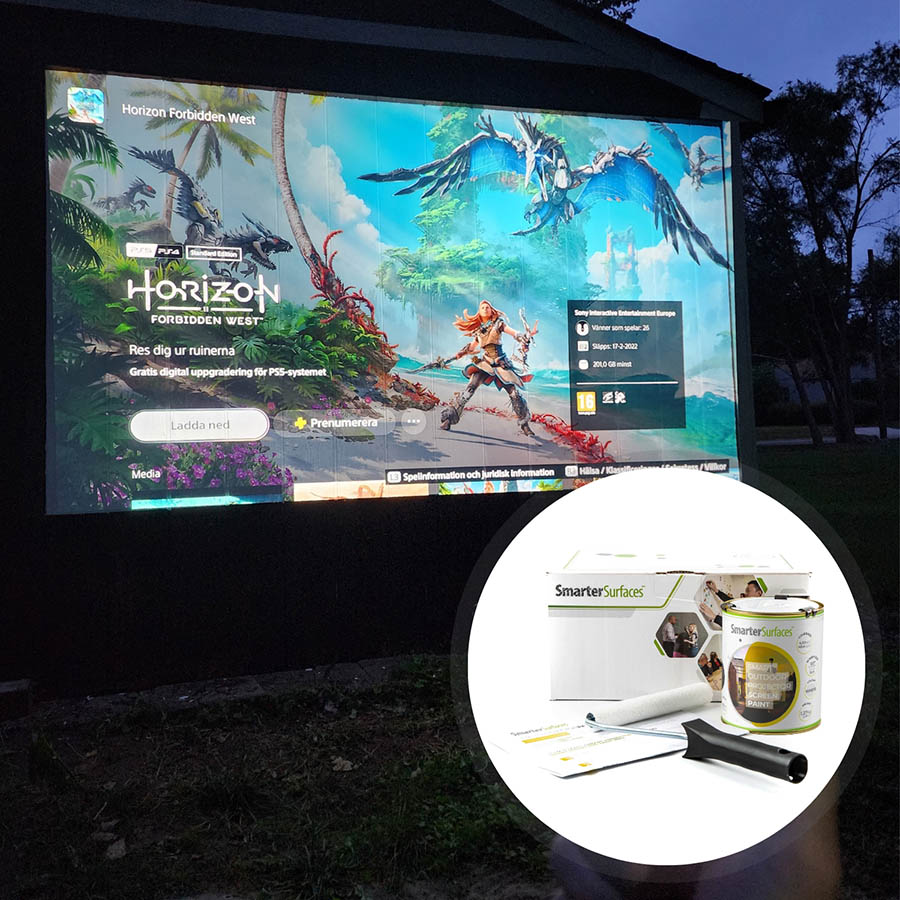




















Delivery InformationVolume DiscountsTechnical SpecificationsCustomer ReviewsInstallationSmart White Projector Screen Paint Pro - BenefitsSuperior PerformanceSmart White Projector Screen Paint Pro delivers high-quality, bright, and clear images in any lighting condition, outperforming traditional screens.Certified Gain Value & Semi-Gloss Finish With a certified gain value of 1.24 and a semi-gloss matt finish, it provides excellent image reflection, tested and designed to work with all popular projectors.Next-Level Projection BrillianceProject sharp and vibrant images in varying ambient light settings and prevent hotspotting. Perfect for meeting rooms, classrooms and workspaces.Subtle & Space-Saving FinishProvides a discreet projection solution while allowing for an unlimited projectable surface that can be easily customised to your needs.Easy Application Apply the base coat followed by a double coating of Smart White Projector Screen Paint Pro to any smooth surface.For Use With Projector Screen PaintProjector Requirements: Interactive, HD, 4K, Standard ProjectorsMinimum Recommended Lumen Value: 1,500 LumensLighting: works in most rooms with low to high level ambient lightCompatible Surfaces: can be applied to fabrics and is suitable for painting or refurbishing old screens, but not suitable for roll-up screens.Projector Screen Paint Performance4K & 8K Ultra HD ReadyGain Value @ 90 °: 1.24Viewing Angle: 140 degreesCertification: Independent Projection Performance Report – CRESTComparison TableCompare the performance and specifications of our full projection rangeView Comparison TableSmart White Projector Screen Paint Pro - Technical SpecificationsColour: White (RAL 9003) Finish: Matt Screen Size:4.5 m2 : 120” / 320cm at 16:9 Aspect Ratio25 m2 : 301" / 764.5cm at 16:9 Aspect RatioVolume:4.5 m2 : 880ml25 m2 : 5lCoverage: 4.5 m2 : 279 x 157 cm at 16:9 Aspect Ratio25 m2 : 667 x 375 cm at 16:9 Aspect RatioEnvironmental (exceeds all EU/Irish standards): low VOC, solvent free, PFOA & PFOS free and isocyanates free Odour: Very Low VOC: Less than 0.44% Certification: Independent Projection Performance Report – CREST, Gypsum Surface Finish Quality Standard of EU Level Q4Not sure which product suits your needs? Well, our team is available via live chat, video call, phone, and email to provide expert guidance. So benefit from our free technical support, personalised recommendations, and creative solutions and make the right choice for yourself. Need assistance with installation? We are here to guide you every step of the way.Kit Contents 4.5 m2Smart White Projector Screen Paint ProPrimer White tinRoller SleeveRoller HandleStirring StickApplication GuideKit Contents 25 m2Smart White Projector Screen Paint ProApplication GuideProjector Screen Paint Pro ReviewsWest Cork FoodsBetter than a projection screen, I have to say i was pleasantly surprised by the result and it definitely looks much sleaker than the fixed screensTomWorks very well with my 1200 lumen desktop. I would recommend it.We Work DublinPurchased one initially to test and was used in the first meeting room to great effect we now have the projector paint installed in all locations where we are upgrading any AV screens or equipment.Explore More Products From Smarter Surfaces(0 Reviews)Outdoor Projector Screen Paint From €209.00 ex.VAT Select options This product has multiple variants. The options may be chosen on the product page (0 Reviews)Magnetic Projector Screen Whiteboard Wallpaper From €261.00 ex.VAT Select options This product has multiple variants. The options may be chosen on the product page (0 Reviews)Ambient Light Rejecting Projector Screen Paint From €199.00 ex.VAT Select options This product has multiple variants. The options may be chosen on the product page (0 Reviews)Interactive Projector Screen Paint From €209.00 ex.VAT Select options This product has multiple variants. The options may be chosen on the product page FAQ's How is Smart Projector Screen Paint Pro ‘Polarity Preserving’?3D projectors work by projecting two slightly different images which overlap on the screen. These images are passed through special optical filters which results in the light being polarised in a different way for each of the projections. When you view the two images through special 3D glasses, each lens blocks one of the images, meaning that your left eye sees one image and your right eye the other image.It's therefore really important that the projection screen you use does not change the polarity of the light if you are using a 3D projector. All of our paint products are "polarity preserving" which means that the image you see will be exactly the same polarity as is intended, preserving the full 3D effect. How to use Projector Screen Paint Pro?After application, our Projector Paints create a ready-to-use projection surface. Just position your projector accordingly and direct it towards the painted wall. Compatible with most projectors, including interactive models, these paints provide a versatile display solution. However, Smart Projector Screen Paint Pro is not designed for outdoor use. What is the best projector paint to use to create my projector screen wall?Choose Smart Projector Screen Paint Pro for high-performance projection in an office or learning environment which natural light is present What is the recommended lighting to use along Smart Projector Screen Paint Pro?The recommended lighting to use alongside Smart Projector Paint Pro is normal to high ambient light it will of course also work very well in low ambient light. What does gain refer to in a projector screen?Gain measures a screen’s ability to reflect and enhance the brightness of a projected image. It indicates how much light is directed back to the viewer compared to a standard reference screen, typically a matte white surface with a gain of 1.0. A higher gain means more light is reflected, producing a brighter image, whereas a lower gain reflects less light, resulting in a dimmer display. Gain also affects the viewing angle. Higher gain screens offer increased brightness but require viewers to be positioned more centrally, while lower gain screens provide a broader viewing area with more even brightness. Selecting the right gain depends on an array of factors such as ambient lighting, projector strength, screen size, and audience positioning to ensure the best possible viewing experience. Why does gain matter for projector screens? Gain directly influences image brightness and viewing angles. It determines how effectively the screen reflects light, impacting the clarity, contrast, and the range of optimal viewing positions. Does a higher gain signify a better image quality?Well, not necessarily. While a high-gain screen can enhance brightness from certain angles, it often reduces visibility for viewers seated off-centre. The best gain depends on the intended use, environment, and seating arrangement. How do I select the right gain for my screen?A standard gain of 1.0 offers consistent brightness and wide visibility. However, the ideal gain varies based on viewing conditions. If ambient lighting is high or a more focused viewing area is needed, a higher gain may be preferable. For broader audience coverage and uniform brightness, a lower gain is recommended. What are the advantages of high-gain screens?Mentioned below are the advantages of high-gain screens : • Greater brightness, making them effective in well-lit spaces. • Enhanced contrast in darker environments. • Reduced light reflection from walls and ceilings. • Minimise light interference from surrounding sources. What are the drawbacks of high-gain screens?Mentioned below are the major drawbacks of high-gain screens : • Narrower viewing angle, thus requiring a central seating position. • Uneven brightness for off-centre viewers. • Less suitable for larger audiences due to restricted visibility. • Not ideal for outdoor use where wide viewing angles are needed. What are the benefits of low-gain screens? Mentioned below are the major benefits of low-gain screens : • Wider viewing angles, allowing better visibility from different positions. • Even light distribution across the surface. • Softer brightness, making them well-suited for indoor viewing. What are the disadvantages of low-gain screens?Mentioned below are the major disadvantages of low-gain screens : • Reduced brightness, which may not be ideal for outdoor environments. • Some loss of projector light reflection. • Lower contrast levels, affecting image clarity in certain conditions. Can Smart White Projector Screen Paint Pro be used for blended projections?Yes, our projector paint is designed to support seamless blending of multiple projections, making it ideal for large displays, theatres, and creative installations. Its advanced formulation ensures precise colour accuracy, uniform brightness, and smooth transitions between projected images. This paint eliminates the need for bulky, costly screens, offering a flexible and cost-effective way to create immersive, large-scale projections on virtually any surface. Is Smart White Projector Screen Paint Pro compatible with 2D and 3D projectors?Absolutely. Our paint works efficiently with both 2D and 3D projectors, ensuring high performance in any projection mode. When used with 3D content, it maintains clarity and depth, delivering an immersive experience when viewed with 3D glasses. How do you apply Projector Screen Paint Pro? You can apply Projector Screen Paint Pro by brush or spray : Step 1 Start by inspecting the surface for any imperfections. Use a decorator's filler to repair cracks or dents, and allow it to dry fully. Once dry, sand the entire surface to achieve a smooth, even finish. Step 2 Apply two coats of Smart White Primer and once dry lightly sand the surface. Step 3 Stir the Projector Paint Pro before use and using a link free smooth roller such as mohair apply two coats of the Projector Paint Pro. Step 4 Allow the Projection Paint Pro to fully dry for 24 hours for best results Are Smart Projection Paints acoustically transparent? Yes, they are. The Sound Absorption Coefficient (SAC) determines how much sound a material absorbs when waves pass through it. Our tests measured SAC for a 12mm gypsum board, a standard construction material. Since sound waves vary in frequency and wavelength, their interaction with materials also differs. This results in a SAC range rather than a single value. Our testing recorded :Unpainted Board α = 0.04-0.07 Painted Board α = 0.04-0.07As the SAC values remain unchanged after applying our paint, it confirms that our Smart Projection Paints do not affect acoustic transparency, ensuring sound passes through as it would with an untreated surface. Is Smart Projector Screen Paint Pro safe to use? Absolutely. Smart Projector Screen Paint Pro is formulated with safety in mind. It is low in VOCs, free from solvents, PFOA, PFOS, and isocyanates.To ensure safe application, always wear the gloves provided in the kit, just as a precaution, as you would with any paint. Does Smart Projection Paint Pro contain isocyanates?No, not a trace. Unlike inferior alternatives on the market, our paint is entirely isocyanate-free. These chemicals pose significant health risks and should only be handled by trained professionals under strict safety protocols. We steer clear of them in all our formulations. What protective gear should I wear while applying the paint?While applying Projector Screen Paint Pro, wear the gloves included in the kit. Additionally, safety glasses are advisable. As with any painting task, ensure the area is well-ventilated to maintain air quality. Is Smart Projector Screen Paint Pro flammable?No, it isn’t. Smart Projector Screen Paint Pro has been certified for fire resistance, thus making it a safe choice for educational institutions, offices, and other professional spaces. With a high flashpoint exceeding 158°F, it poses no flammability risks. Can Projector Screen Paint Pro be applied while people are around?Yes, it’s perfectly safe to use in the presence of adults and children. With low VOC content and virtually no odour, the paint does not release harmful fumes. Additionally, since it contains no isocyanates, it’s an ideal choice for indoor application. How do I remove the paint from skin?If paint gets on your skin, all you need to do is simply wash the area with warm water and soap. No special removers are needed. What should I do if I accidentally spill the paint?Well, don't worry if you spill the paint. Simply clean it up with water while it’s still wet. The same goes for your tools. All you need to do is rinse them with water to keep them in good condition. How do I clean my Projector Screen Paint Pro surface?Keeping your screen pristine is quite easy and effortless. A dry or slightly damp cloth is all you need to wipe away dust and marks, ensuring a clear projection surface at all times. What is the best color to paint walls for projection?This depends on a number of factors such as projection equipment, ambient light and the kind of use the walls would be put to such as for video conferencing or movies. Projector Screen Paint Pro is designed for use in normal to high ambient light and white (RAL 9003) is the best option unless you have specific projector surface requirements and powerful projection equipment. How much light does Smart Projector Screen Paint Pro reflect at an angle of 90 degrees? Smart Projector Screen Paint Pro reflects 7.8mW. What is the specified gain value for Smart Projection Paint Pro? Smart Projector Screen Paint Pro delivers a gain of 1.24 at a 90-degree viewing angle, thus ensuring bright, clear, and high-quality projections. Smart White Projector Screen Paint Pro InstallationSmart White Projector Screen Paint Pro is an innovative, high-quality solution designed to convert a variety of interior surfaces such as plaster, metal, wallboards, wood, concrete, and composites into an exceptional projection screen. So be it professional presentations, home theatres, or educational settings, this paint ensures superior clarity and image quality.Precision Preparation for a Flawless Finish :Achieving the best results begins with meticulous surface preparation. Ensure the area is clean, dry, and free from dust or loose particles. Clearly mark the designated projection space using masking tape for a defined, professional finish. Each application covers a maximum area of 279 cm x 157 cm (109.8” x 61.8”), delivering a seamless viewing experience.Essential Priming for Enhanced Performance : Having a strong foundation is extremely crucial before applying the projector screen paint. So start with two coats of Smart White Primer, included in your kit, to optimise adhesion and enhance reflectivity. Make sure to lightly sand the surface before each coat to achieve a smooth texture. Allow 2 to 4 hours of drying time for each coat at 20°C. This would ensure a flawless base for your projection surface.Application for Professional-Grade Results :Make sure to thoroughly stir the projector paint before application to obtain optimal results. Now use a mohair or lint-free short pile roller sleeve and apply two even coats. Allow the first coat to dry fully before proceeding with the second, maintaining a 2 to 4 hour drying period at 20°C. This careful layering ensures a crisp, high-definition projection surface.Experience Before You Commit : Want to see the difference for yourself? Request a sample pack to test the superior performance of our projector screen paint before making your purchase.Expert Support at Your FingertipsHave questions or need guidance? Our dedicated team is always on hand to provide expert advice and exceptional customer service. Get in touch today for personalised assistance.For a step-by-step guide, read or download our comprehensive Application Guide to ensure a perfect finish.A full application guide to help you apply our White Projector Screen Paint ProSmart White Projector Screen Paint Pro installation VideoWatch our step-by-step Video Application GuideSmart White Projector Screen Paint Pro Videos Watch our step-by-step Video Application Guide Whiteboard Paint White for Education Whiteboard Paint White Case Study
White Projector Screen Paint Pro
$ 97.98
Trusted Solutions
Fast Delivery in 3-5 Days
Insured Shipping
Related products
-

-
 -29%
-29% -
-